Enhancing the Threat Intelligence AI Model with Technical Knowledge About Windows Kernel Mode Malware
In one of my earlier blogs, I introduced the so-called Windows Rootkit Techniques Matrix based on data from my Windows Rootkits and Bootkits Guide. The guide itself consists of a nested list of Windows kernel rootkit tricks mapped to two tables of rootkit and bootkit families sorted in chronological order. The matrix, in turn, represents this data visually.
But who wants to browse the web like in the old days when you can work from the window of your favorite AI model app or agent, getting only the specific information you need on demand? We all value our time, right? So now the matrix is available to be absorbed by AI model apps with the help of an MCP server (called rkmatrix-mcp-server ). 👍😂
LLMs lack technically precise data
Modern LLMs and AI models from top-tier companies have been trained on an enormous volume of cybersecurity data and can provide information about almost any topic. But as we know, the devil (or the bottleneck) is always in the details. If you need technically precise data about malware capabilities, the model can hallucinate, providing false data and confusing facts.
Imagine you’re interested in getting particular information about a specific malware family from your chatbot or LLM app. The agent tries to “remember” as much data about the requested malware as it can, providing a mix of necessary, unnecessary, and even false information. So we need a solution for this, right? The solution is simple: completely and carefully structured data about this specific topic, and an MCP server to supply it to the model app itself.
When I started working on the Windows Rootkit and Bootkit Guide two years ago, I doubted that such a guide would be useful at all, since LLMs can provide you with any technical information you want about this topic in seconds. But after tens of prompts, it became clear that the reality isn’t so funny. Some prompts ended up with blurred information, while others contained completely unreliable information. It was obvious that LLMs confused different types of malware, attributing the techniques of one malware family to others.
Okay, but what about general or overall (statistical) information about this type of malware? How many families are out there, and what are their names? Let’s ask different LLMs and compile their inferences to achieve better results. In fact, I’ve already tried, and the results could fit into an article or blog that nobody would actually pay attention to due to a lack of decent, structured information posing as a guide.
It turned out that spending months gathering information about the topic—surfing the blogs of cybersecurity companies and related websites, and structuring the data myself—could give much better results. So, hundreds of cybersecurity blogs and white papers have been analyzed to create the guide, even though we can be sure that the LLMs from Google, OpenAI, and Microsoft were trained on all those resources as well.
On the other hand, trying to solve complex tasks using LLMs by supplying them with a handful of flat prompts indeed looks like a stupid idea nowadays. Utilizing LLMs to create a comprehensive guide about a specific topic isn’t a complex task, but it still requires forming the necessary context and leading the model down the right road so that it reasons in the necessary direction. Without polluting the context and by feeding it only precise prompts, decent results can be achieved.
So what do we really need? We need data. We have data, and we have structured data. Taking the rootkit techniques matrix, which fits into three YAML files (techniques, rootkit family, and bootkit family matrices), we can simply produce one JSON file acting as a well-structured database that contains information on every ever-documented kernel-mode trick of all known kernel-mode malware families. A simple MCP server can then feed this data to the underlying model. Perhaps some LLMs and chatbots like ChatRTX can absorb this data directly from the JSON itself without connecting an MCP server (RAG).
Not RAG?
RAG is not a perfect solution in our case compared to MCP. RAG operates with a vector DB made of a certain amount of the necessary data that we need to provide to the LLM to fine-tune its knowledge in a specific field. The mentioned vector DB represents unstructured data consisting of small chunks. Even though this DB would incorporate all the data from the rootkit techniques matrix, it would make the data unstructured, causing it to lose precision.
What makes the rootkit techniques matrix structured?
- Direct relationships between the techniques and malware families.
- The nested structure of the techniques themselves in a parent-child format.
- The matrix is sorted by the years of the malware families’ appearance.
When would RAG be useful to us? Imagine if we were writing a Wikipedia article about Windows kernel-mode malware and wanted to feed this knowledge to our AI model (client). In that case, RAG is an obvious choice.
Here are the benefits of MCP:
- All data is stored in a single, readable, and structured JSON file.
- The server script consists of methods designed to provide precise data on various aspects of the requested malware.
- The server’s capabilities can be updated at any time to provide new methods of handling data.
Exploring the server
Since I’m located in Russia, where commercial AI clients like Claude are inaccessible 😂 (and VPNs are disrupted as well), I opted for an Ollama client running qwen3-8b with Open WebUI to test my MCP server. In our case, we don’t need a complex MCP server, right.. The core component here is JSON, and the server simply needs to expose a few interfaces to feed the necessary data to the underlying model on demand.
The server can be downloaded from GitHub here. Installation instructions are in the README file.
Okay, we’ve got an MCP server. What’s next? Keep the guide and the rootkit techniques matrix close at hand. The model is highly suitable for querying information about specific techniques or rootkits, whereas the nested list of techniques looks better on the website.
Satisfaction with using the MCP server depends on the model’s app. Using the Claude Windows app is the best choice. However, if you can’t use it (like me) or have opted for a locally running model, the experience may be less seamless.
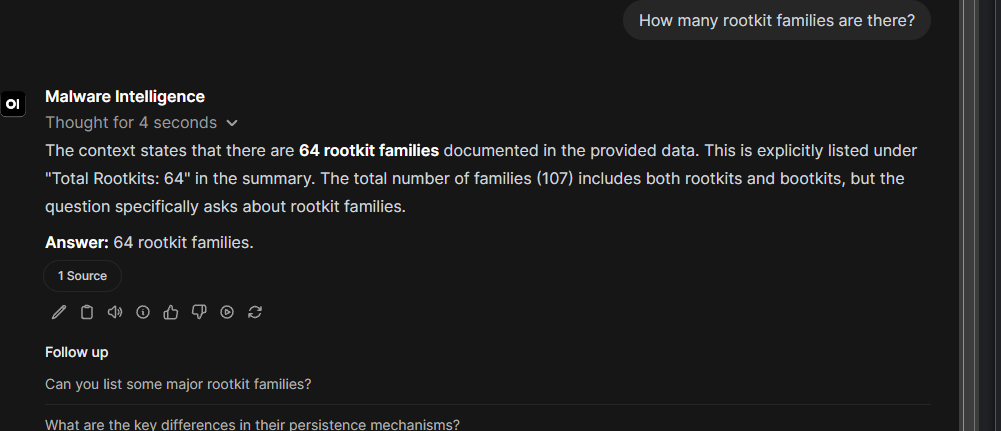
What can we ask? We’re wondering how many rootkit or bootkit families there, right.
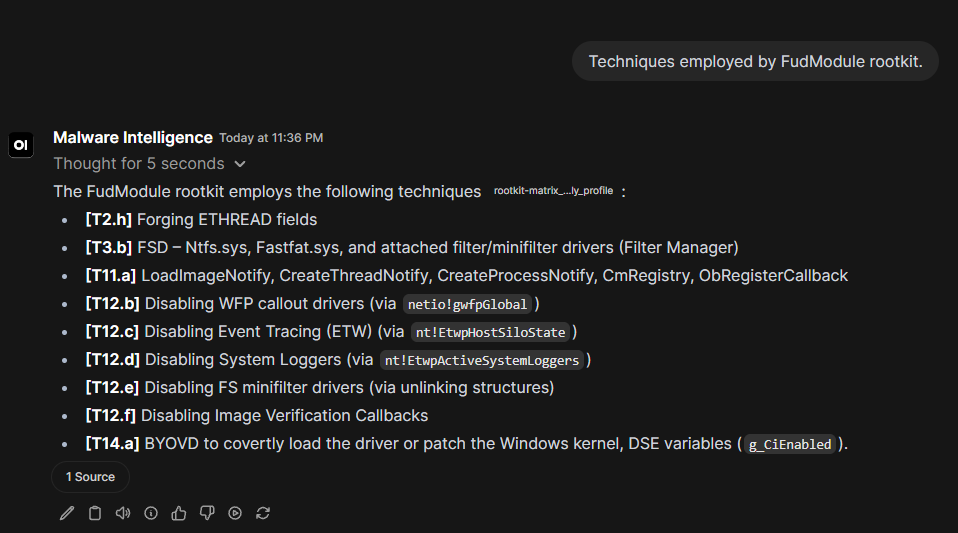
Next, we want to learn what techniques are employed by a specific rootkit or bootkit.
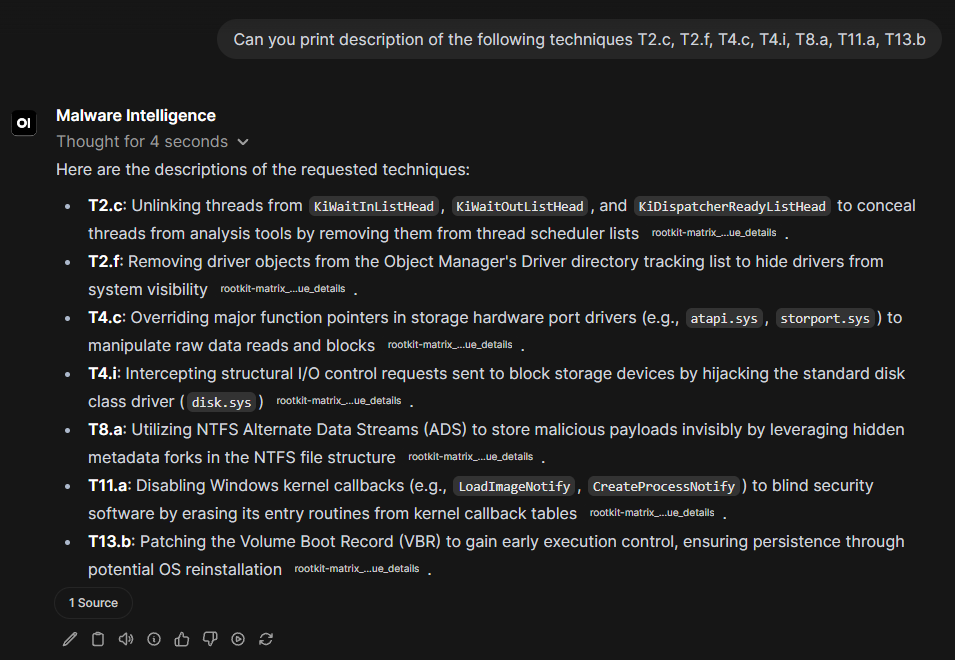
We need information about a specific set of techniques (a technique vector).
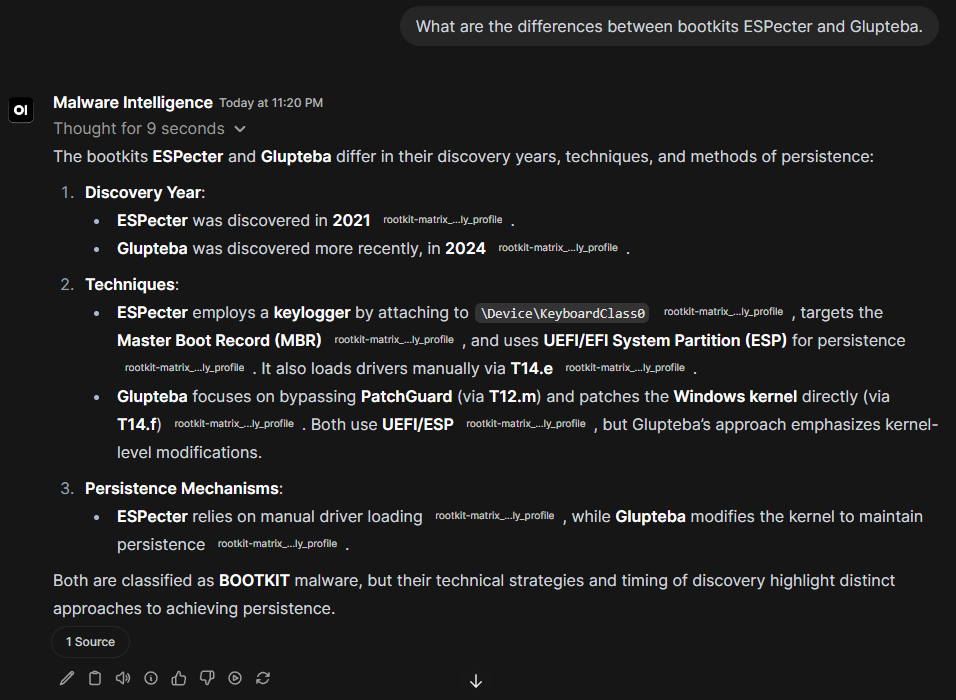
Let’s check the differences between two rootkit families.
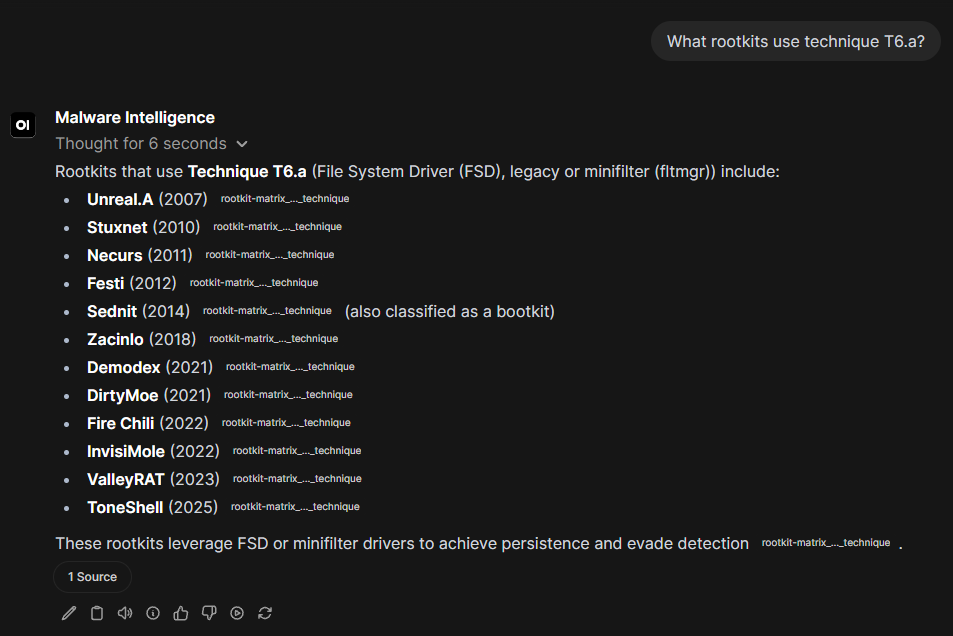
Find out what rootkit families use technique T6.a.